
MahaBhunaksha & Gujarat Cadastral GIS Maps: How to Check Land Boundaries Online
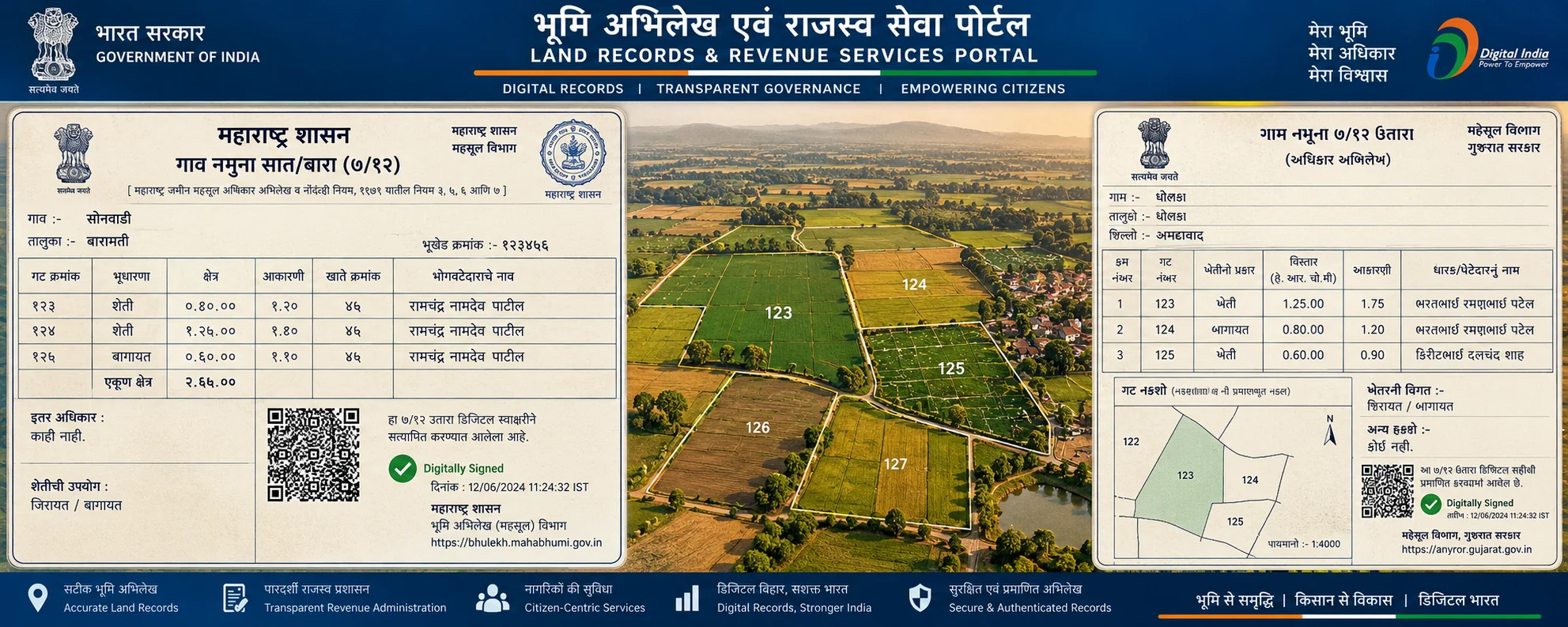
To view and download cadastral land maps online, visit Maharashtra MahaBhunaksha (mahabhunakasha.mahabhumi.gov.in) or the Gujarat Revenue GIS system. Select your district, taluka, village, and Gat or Survey Number. The system renders the registered spatial parcel geometry, boundary coordinates, and neighboring plot numbers. Cadastral maps show spatial layout and do not constitute independent proof of legal ownership.
Administrative Dimension Fact Sheet
| Administrative Dimension | Statutory Specification & Governance |
|---|---|
| State GIS Portal | MahaBhunaksha (mahabhunakasha.mahabhumi.gov.in) | AnyRoR Rural Maps |
| Spatial Technology | NIC BhuNaksha Cadastral Mapping Software (GIS-compliant) |
| Search Parameters | District, Taluka, Village, and Gat/Survey Number |
| Output Formats | Vector Plot Map (PDF), Village Map (गाव नकाशा), Sub-division Layout |
| Primary Verification Feature | Displays adjacent parcel numbers, access roads, canal lines, and boundaries |
| Statutory Authority | Department of Land Records (Bhumi Abhilekh) / Settlement Commissioner |
1. What Is MahaBhunaksha (BhuNaksha GIS)?
While a 7/12 extract records alphanumeric data (who holds the land, total area, and crops), it does not display the physical shape or geographic boundaries of the property. The MahaBhunaksha portal (developed by National Informatics Centre for Maharashtra) digitizes cadastral village maps (गाव नकाशा) and individual parcel maps (टिप्पण / पोटहिस्सा नकाशा).
Cross-referencing a 7/12 extract with the MahaBhunaksha map is a mandatory step in land due diligence, ensuring that the seller's Gat Number actually possesses physical access roads, correct dimensions, and unencumbered natural boundaries.
2. How to View and Download Plot Maps on MahaBhunaksha
- Access MahaBhunaksha Portal: Visit
mahabhunakasha.mahabhumi.gov.infrom a computer browser. - Select Geographic Location: In the left-hand navigation panel, select Rural (ग्रामीण) or Urban (शहरी), then choose District, Taluka, Village, and Village Map Sheet Number.
- Enter Gat Number: Enter the target Gat Number into the search box or click directly on the interactive cadastral map.
- Review Plot Info: The portal displays the Plot Info card on the left, listing recorded landholder names, Khata numbers, and area matching the live 7/12 database.
- Download Map Report: Click on Map Report or Field Book Report to generate an official PDF plot map with dimensional measurements and north arrow.
3. Identifying Encroachments and Boundary Discrepancies
Cadastral GIS maps help buyers and landowners identify three critical land risks:
- Access Road Absence (पाणंद रस्ता): Verifying whether the parcel has a recorded public approach road or is landlocked by neighboring farms.
- Area Discrepancies: Comparing the digitized GIS surface area against the total area recorded in Village Form VII.
- Water Body Easements (नाला / कालवा): Confirming whether irrigation canals, public drainage streams, or high-tension transmission corridors bisect the land.
Frequently Asked Questions
Is MahaBhunaksha map free to view and download?
Yes. Viewing village maps and individual plot reports on MahaBhunaksha is completely free for all citizens without registration fees.
Can MahaBhunaksha be used to resolve physical boundary disputes in court?
A standard printout from MahaBhunaksha is for reference. For court litigation or physical boundary demarcation, apply for an official measurement survey (Mojani) through the Taluka Land Records Inspector (CTSO / Dy. Superintendent of Land Records).
Why does my Gat Number show as empty or greyed out on MahaBhunaksha?
This occurs if village cadastre maps are under active re-survey (such as under the SVAMITVA drone survey scheme) or if digitisation records are undergoing GIS geo-referencing.